
Free Image Compressor — Reduce Photo Size Online
Make JPG, PNG and WebP files smaller in seconds
Reduce image file size without visible quality loss — for websites, email, WhatsApp and online forms. Drop in one photo or several, pick a quality and download. Free, with every image processed right in your browser, so nothing is uploaded.
Drag & Drop Your Images Here
or click to browse files (JPEG, PNG, GIF, WEBP)
Compression Settings
Image Comparison
Original Image
0 KBCompressed Image
0 KBStunning Quality Across All Image Types
See how Image EditPro maintains excellent quality while reducing file sizes
Original
Compressed
Picture It: Before & After Compression
See the difference with your own eyes - quality maintained, file size reduced
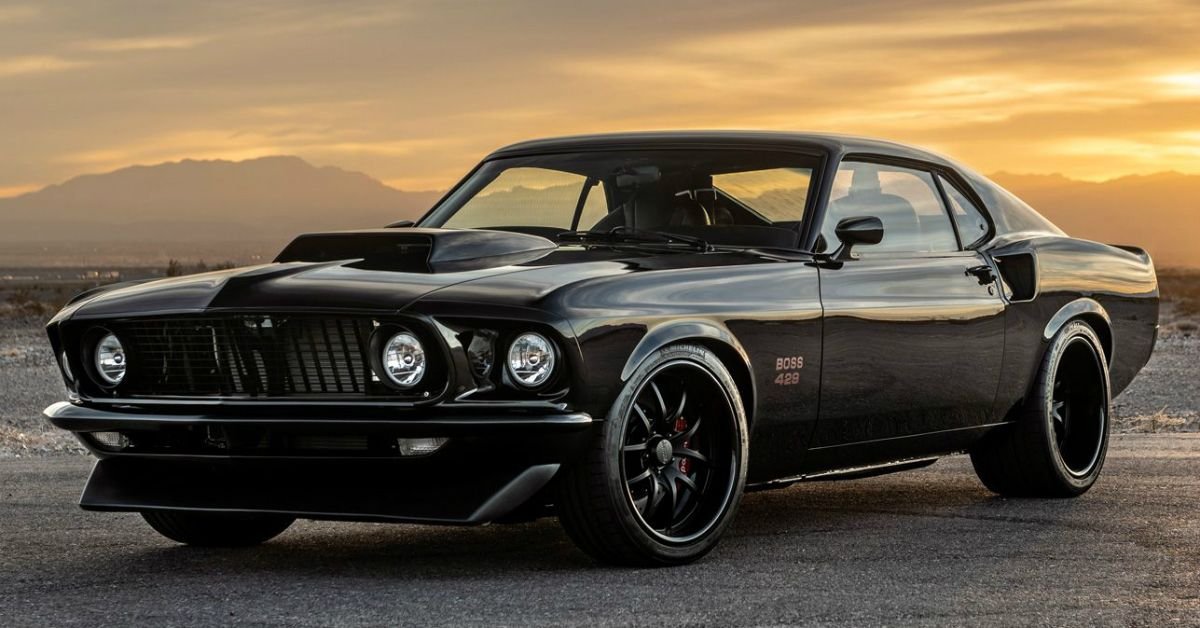

Visually Identical
Our compression maintains visual quality while dramatically reducing file size
Faster Load Times
Smaller files mean quicker page loads and better user experience
Mobile Optimized
Perfectly sized images for all devices without quality loss
40 free image tools in one place
The compressor above is our most-used tool. But Image EditPro is a full toolkit. All tools run in your browser — no upload, ever.
Background RemoverAI Powered
Remove the background with AI, then keep it transparent or make it white, a colour, a blur or your own picture.
Remove White BackgroundNew
Make the white background of a logo, signature or icon transparent and download a PNG.
AI Image UpscalerAI Powered
Enlarge images up to 4× with AI that reconstructs detail — perfect for prints and thumbnails.
AI Old Photo RestoreAI Powered
Revive old, faded, or low-res photos. AI sharpens and enlarges family memories.
YouTube Thumbnail EnhancerAI Powered
Thumbnail enhancer and upscaler: make a blurry or small image a crisp 1280×720 YouTube thumbnail.
YouTube Thumbnail Size CheckerNew
Check resolution, 16:9 ratio, 2 MB limit and format, and preview how your thumbnail reads at small sizes.
AI Product Photo EnhancerAI Powered
Make product shots pop — clean white background, AI upscale, and sharpening in one click.
Blur Image FixerAI Powered
Sharpen soft or blurry photos and recover detail with AI-assisted enhancement.
Why Choose Image EditPro?
Lightning Fast
Our advanced algorithms compress images in seconds, saving you valuable time without compromising quality.
Secure Processing
Your images are processed in your browser and are not uploaded to our servers. The only exception is the optional cloud history: if you sign in and click "Save to cloud", that one file is stored for you until it expires.
Smart Optimization
Intelligent compression analyzes each image to find the perfect balance between size and quality.
Responsive Ready
Optimized images load faster on all devices, improving user experience and SEO rankings.
Format Conversion
Easily convert between JPG, PNG, and WEBP formats to suit your specific needs.
Unlimited Usage
Compress as many images as you need, with no file size limits or watermarks added.
Guide: how to reduce image size without losing quality
How to compress an image online
- Drop your photos into the box at the top of this page, or tap Select Files. JPG, PNG, GIF and WebP all work, and you can add several at once.
- Leave the quality at 80% for a first try. For most photos that is the point where the file becomes much smaller and the picture still looks the same.
- Press Compress Now and compare the original and compressed versions side by side. The new file size is shown under each image.
- Download the result. If the file is still too big, lower the quality a little and compress again; if you can see blocky patches, raise it.
What the quality slider actually does
JPG and WebP files are saved with a quality setting between 1 and 100. Lower numbers throw away more of the fine detail the eye barely notices, such as tiny variations in skin, sky and grass, and that is where most of the saving comes from. Between about 70% and 85% the picture usually looks unchanged on a phone or laptop screen while the file shrinks a lot. Below about 50%, smooth areas start to show blocks and edges get a faint halo.
Two more things happen automatically. Photos larger than 2,000 pixels on either side are scaled down to fit inside 2,000 × 2,000 pixels, which is still more than most screens show and often saves more than the quality setting itself. And PNG files over 500 KB are turned into JPG, because a photo saved as PNG is many times larger than it needs to be. If you need to keep a PNG's transparent background, use the transparent PNG tools or convert with PNG to WebP, which keeps transparency.
Reduce photo size in KB for a form
Online forms usually state an exact limit, and guessing with a slider can take several tries. For those, use the tools built for a number:
- Compress to an exact size: type any limit, such as 75 KB, and the tool finds the best quality under it.
- Photo between 50 KB and 100 KB: for forms with a minimum as well as a maximum. It also raises a photo that is too small.
- Ready-made pages for 20 KB, 50 KB, 100 KB and 200 KB, each with the pixel sizes that suit that limit.
- If the form also gives pixel dimensions, set them first with the image resizer, then compress. Our exam photo size list collects the common photo and signature rules.
How much smaller will my image get?
It depends on what is in the picture and how it was saved. A typical 3–5 MB phone photo usually comes down to a few hundred KB at 80% quality, mainly because it is also scaled to 2,000 pixels. A photo that was already compressed, for example one received on WhatsApp, may shrink only a little, because the easy savings were already taken. Screenshots and graphics saved as large PNGs often shrink the most when they become JPG.
If a compressed file comes out larger than the original, keep the original: it was already saved efficiently. Compressing the same JPG again and again does not help either, because each save loses a bit more detail. Always start from the best copy you have.
JPG, PNG or WebP: which gives the smallest file?
- JPG is the safest choice for photos. Every phone, website and government form accepts it.
- WebP usually makes a photo noticeably smaller than JPG at the same visible quality and supports transparency. It is ideal for your own website, but some forms and older apps still refuse it. Convert with JPG to WebP.
- PNG is best for logos, screenshots with text and images that need a transparent background. For photos it is the largest of the three. Our comparison of PNG, JPG, WebP and AVIF goes into more detail.
Compressing many images at once
You can add several files to the compressor above. For a whole folder, such as event photos or product shots, the Bulk Compressor handles up to 100 images in one go and gives them back as a single ZIP file. It uses the same in-browser processing, so a large batch is not uploaded anywhere either.
Why compress images at all?
- Faster websites: images are usually the heaviest part of a web page. Smaller images load faster on mobile data and help pages pass Google's Core Web Vitals checks.
- Uploads that are accepted: forms, job portals and email services all set file size limits.
- Easier sharing: smaller photos send faster on WhatsApp and email and use less of the receiver's data.
- More storage: compressed copies take a fraction of the space on a phone, a laptop or a cloud drive. Keep the originals of photos you may print.
Private by design
The compressor runs in your own browser. Your images are opened, compressed and saved on your device and are never sent to Image EditPro's servers, which matters for ID photos, documents and family pictures. Compression also drops the hidden camera data (EXIF) such as GPS location from the saved copy. For a full explanation, read how to compress images without losing quality.
Related guides
Frequently Asked Questions
Yes — completely free, for everyone. Every tool on the site is unlocked with no daily limit, no watermarks, and no paid plan of any kind. You do not even need an account; signing up is optional and only adds cloud history for your edits. The site is funded by ads, not subscriptions.
No. Every tool runs entirely in your browser using JavaScript and the Canvas API. Your images stay on your device — there is no upload and no cloud processing. The one exception is opt-in: if you sign in and click "Save to cloud", that single file is stored so you can download it again until it expires.
JPG, PNG, WEBP, AVIF (read), HEIC (read in supported browsers), TIFF (read). The output format depends on the tool but typically supports JPG, PNG, and WEBP. AVIF encoding is not yet supported browser-side.
Typical savings on photographs: 60-80% file size reduction at quality 80-85 with no visible quality loss. A 4 MB phone photo becomes 800 KB to 1 MB. PNG screenshots can shrink 70-90% when converted to JPG or WEBP (where transparency is not needed).
No. Image EditPro runs entirely in your web browser — Chrome, Firefox, Safari, or Edge. No app downloads, no browser extensions, no software installation. Open the website and start using any tool immediately.
Use the Compress to Size tool: type the limit, such as 100 KB, 50 KB or 20 KB, and it finds the highest quality that fits. If the form needs a range such as 50 KB to 100 KB, use the 50–100 KB tool, which also raises a photo that is too small. On this page you can also lower the quality slider and watch the new size until it fits.
Technically yes, because JPG and WebP compression removes some detail, but at around 70–85% quality the change is not visible at normal viewing size. Problems appear only at very low settings or when the same file is compressed again and again, so always start from the original.
PNG files larger than 500 KB are converted to JPG, which is usually many times smaller for photos. JPG has no transparency, so if you need a transparent background keep the PNG, or convert it to WebP, which keeps transparency in a smaller file.