
How to Print Passport Size Photos: 8 Copies on One 4×6 Sheet
Fit eight 35 × 45 mm passport photos on a single 4 × 6 inch print, with exact pixel and millimetre layouts, the print setting that silently ruins the size, and how to check the copies with a ruler.
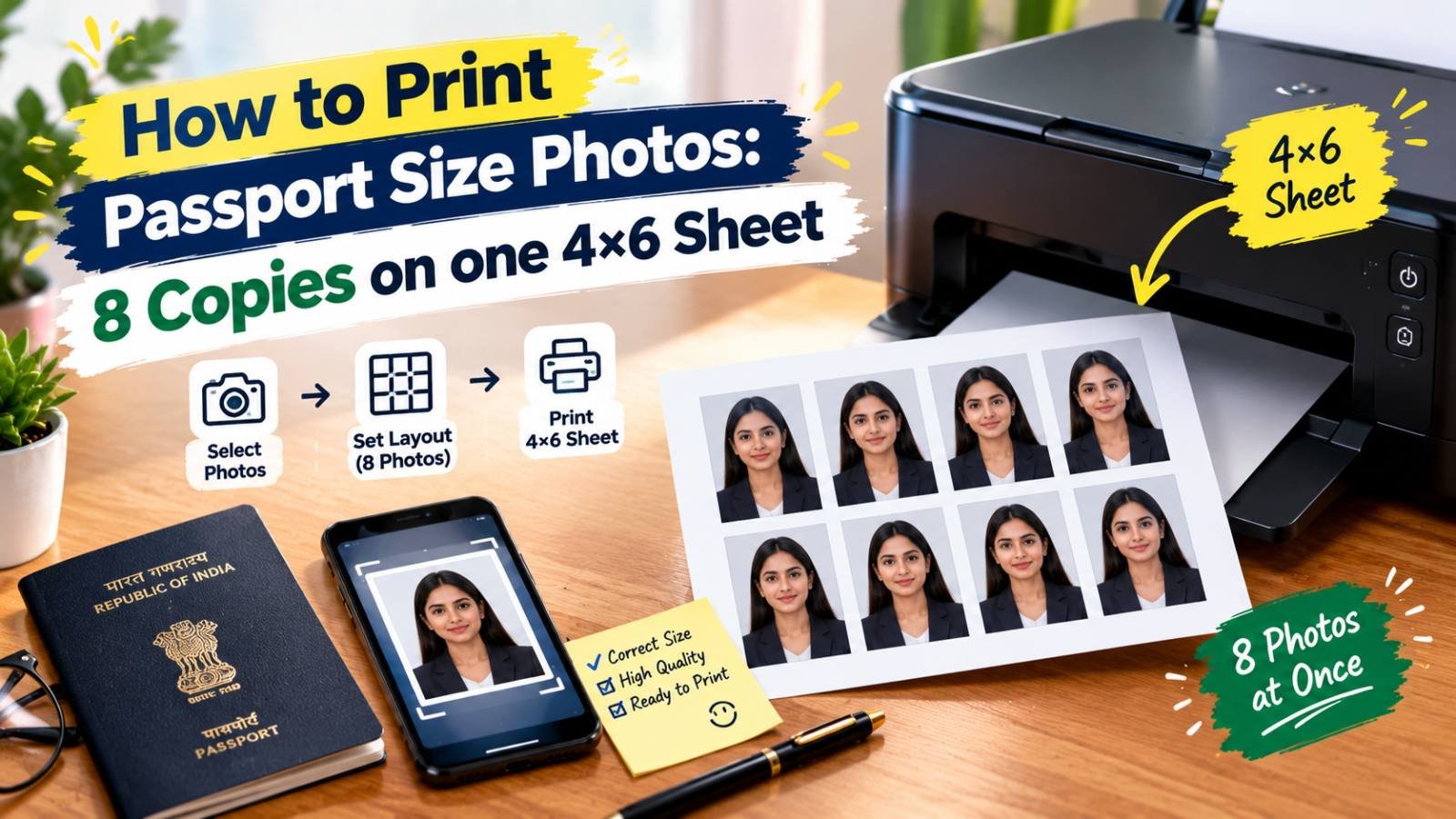
You have a good passport-size photo on your phone and need printed copies: for an admission form, a bank account, a SIM card, a job joining kit or a government application. Paying a studio for a new photo every time is unnecessary. A photo shop or your own printer can print eight copies on a single 4 × 6 inch sheet for the price of one ordinary photo print.
The catch is size. A copy that is 33 mm wide instead of 35 mm may be rejected, and the most common cause is a single wrong setting in the print dialog. This guide gives the exact layout, shows how to build the sheet, and explains how to check the result before you cut.
Before You Start: Get One Correct Photo
The sheet is only as good as the single photo on it. Make sure your photo already meets the requirements for the place you are submitting it:
- Size and shape: most Indian forms that ask for a "passport size photo" mean 35 × 45 mm (often written as 3.5 × 4.5 cm). US passports and visas use a square 2 × 2 inch photo. Our guide on passport photo sizes in pixels lists the common sizes by country.
- Background: plain and light, usually white.
- Face: looking straight at the camera, neutral expression, evenly lit, no filters.
- Recent: many offices ask for a photo taken within the last six months.
The passport photo maker crops your photo to the India, US or Schengen size and sets a plain background, all in your browser. Download the result as a JPG; that single photo is what you will repeat on the sheet.
The Layout: Eight Copies on 4 × 6
A standard 4 × 6 inch photo print measures 152.4 × 101.6 mm. Turn it landscape, and 35 × 45 mm photos fit like this:
- Across: 4 photos × 35 mm = 140 mm, leaving 12.4 mm for margins and gaps.
- Down: 2 photos × 45 mm = 90 mm, leaving 11.6 mm for margins and gaps.
That gives 8 copies with roughly 2.5 mm between photos horizontally and about 3.9 mm vertically, enough to cut cleanly.
The Same Layout in Pixels
At 300 pixels per inch, the standard resolution for photo prints:
| Item | Size in pixels |
|---|---|
| Whole 4 × 6 sheet (landscape) | 1800 × 1200 px |
| One 35 × 45 mm photo | 413 × 531 px |
| Gap between photos across | about 29 px |
| Gap between rows | about 46 px |
One way to place the eight photos on an 1800 × 1200 canvas:
| Row | Top edge | Photo left edges |
|---|---|---|
| First row | 46 px | 30, 472, 914, 1356 px |
| Second row | 623 px | 30, 472, 914, 1356 px |
The numbers do not have to be exact to the pixel; what matters is that each photo stays 413 × 531 px and does not touch the next one.
For 2 × 2 Inch Photos
A 2 × 2 inch photo is 600 × 600 px at 300 PPI. Six of them fill a 4 × 6 sheet exactly (three across, two down), but with no gap there is nothing to cut along, and any shift during printing cuts into a photo. Placing four copies with margins around them is safer.
Other Sizes
If your form asks for another size, such as 51 × 51 mm or 30 × 40 mm, use the same method: divide the sheet's width and height by the photo's width and height to see how many fit, and share the leftover space as gaps. For millimetre-to-pixel conversions, see how to resize a photo to 3.5 × 4.5 cm online.
How to Make the Sheet
You can build the sheet in any program that lets you set exact sizes.
Method 1: Microsoft Word (or a Similar Document Editor)
This is the easiest method for most people because it works in real millimetres:
- Create a new document. Under Layout → Size, choose a custom size of 6 × 4 inches (or 152.4 × 101.6 mm), landscape, and set the margins to the minimum your printer allows, such as 3 mm.
- Insert your passport photo.
- Select the photo and set its size exactly: height 4.5 cm, width 3.5 cm. Lock the aspect ratio first; if the numbers do not match, your photo was not cropped to the right shape, so go back and crop it properly rather than stretching it.
- Copy and paste the photo until you have four in a row, with a small space between each. Make a second row below.
- Print, or save as PDF to send to a photo shop.
Method 2: An Image Editor
If you prefer to make a single image file for the shop:
- Create a new 1800 × 1200 px canvas with a white background, at 300 PPI.
- Make sure your photo is exactly 413 × 531 px. If it is larger, resize it with the resize tool, keeping the ratio locked.
- Paste the photo eight times using the positions in the table above.
- Export as a high-quality JPG.
A 4 × 6 JPG made this way is the most reliable thing to hand to a photo shop, because shops print 4 × 6 images edge to edge as standard.
Printing: The Setting That Ruins the Size
Most wrong-size passport prints come from the print dialog, not the photo.
- Choose "Actual size" or "100%". Options named Fit to page, Fit to frame, Scale to fit or Shrink oversized pages resize the whole sheet, and every photo on it changes size with it.
- Turn off borderless printing at home. Borderless mode enlarges the image slightly so the ink reaches past the paper's edges, which makes each photo a little bigger than intended. Leave a small margin instead.
- Select the right paper size in the printer settings (4 × 6 in or 10 × 15 cm), and the right paper type (photo paper, glossy or matte) for good colour.
- Use photo paper. Plain paper makes photos dull, and they can smudge or curl. Matte paper avoids glare and is easy to paste onto forms.
At a Photo Shop
- Send the sheet as a file, not a compressed chat photo. If you send it on WhatsApp as a normal image, it may be resized and recompressed; send it as a document instead. Our guide on why WhatsApp makes photos blurry explains the difference.
- Ask for a 4 × 6 print without cropping or resizing. Most photo-printing machines print 4 × 6 images at their full size, but saying it avoids surprises.
- A pen drive or a cloud link also works well.
Check Before You Cut
Do this every time, especially on a new printer:
- Measure one photo with a ruler. It should be 35 mm wide and 45 mm tall (or 2 × 2 inches). Up to about half a millimetre either way is normal.
- Check the face. It should be sharp, not pixelated, with natural skin colour.
- Check the background. It should be plain and evenly light, with no lines from the printer.
If the size is wrong, do not cut. Go back and check the print scaling setting first, which is the cause in most cases.
Cutting Neatly
- Use a sharp blade and a metal ruler on a cutting mat, or a paper trimmer, rather than scissors.
- Cut along the middle of each gap, so every photo keeps its full size.
- Cut the long horizontal line first, then the short vertical lines.
- Store spare copies in an envelope, away from sunlight, so the colours do not fade.
Common Problems
| Problem | Cause | Fix |
|---|---|---|
| Photos are smaller than 35 × 45 mm | "Fit to page" or scaling in the print dialog | Print at Actual size / 100% |
| Photos slightly larger | Borderless printing | Turn borderless off, keep a margin |
| Photos stretched | Photo resized to 3.5 × 4.5 cm without locking the ratio | Crop to the correct shape first, then resize |
| Blurry print | Small or compressed source photo | Use the original photo; check it is at least 413 × 531 px |
| Shop cropped the edges | Shop printed in "fill" mode | Ask for a full print without cropping; leave margins |
| Dull or patchy colours | Plain paper or wrong paper type setting | Use photo paper and select it in the print settings |
Frequently Asked Questions
How many passport size photos fit on a 4x6 print?
Eight photos of 35 x 45 mm fit on one 4 x 6 inch print when it is turned landscape: four across and two down, with a few millimetres between them for cutting. For square 2 x 2 inch photos, up to six fit, but four with margins are easier to cut accurately.
Why do my printed passport photos come out the wrong size?
Usually because the print dialog was set to Fit to page, Fit to frame or borderless printing, which scales the image. Print at Actual size or 100 percent, turn off borderless, and measure one photo with a ruler before cutting.
What size is a 4x6 sheet in pixels?
At 300 pixels per inch, a 4 x 6 inch print is 1800 x 1200 pixels in landscape. Each 35 x 45 mm passport photo is about 413 x 531 pixels at the same resolution.
Can I print passport photos on normal paper?
It is better not to. Plain paper makes the photo dull and it can smudge or curl. Use matte or glossy photo paper, or get the sheet printed at a photo shop, and check whether the office you are applying to states a paper preference.
Related articles
How to Combine Photos Into One PDF Under 100 KB for Online Forms
Forms often want several documents as a single small PDF. How to scan the pages on your phone, budget the KB per page, compress each image, combine them in the right order, and check the PDF before you upload.
How to Scan and Clean Your Signature on a Phone for Online Forms
Get a clean signature image without a scanner: how to sign, photograph or scan it on your phone, remove shadows and grey paper, crop it tightly, and make a JPG in the exact KB range your form wants.
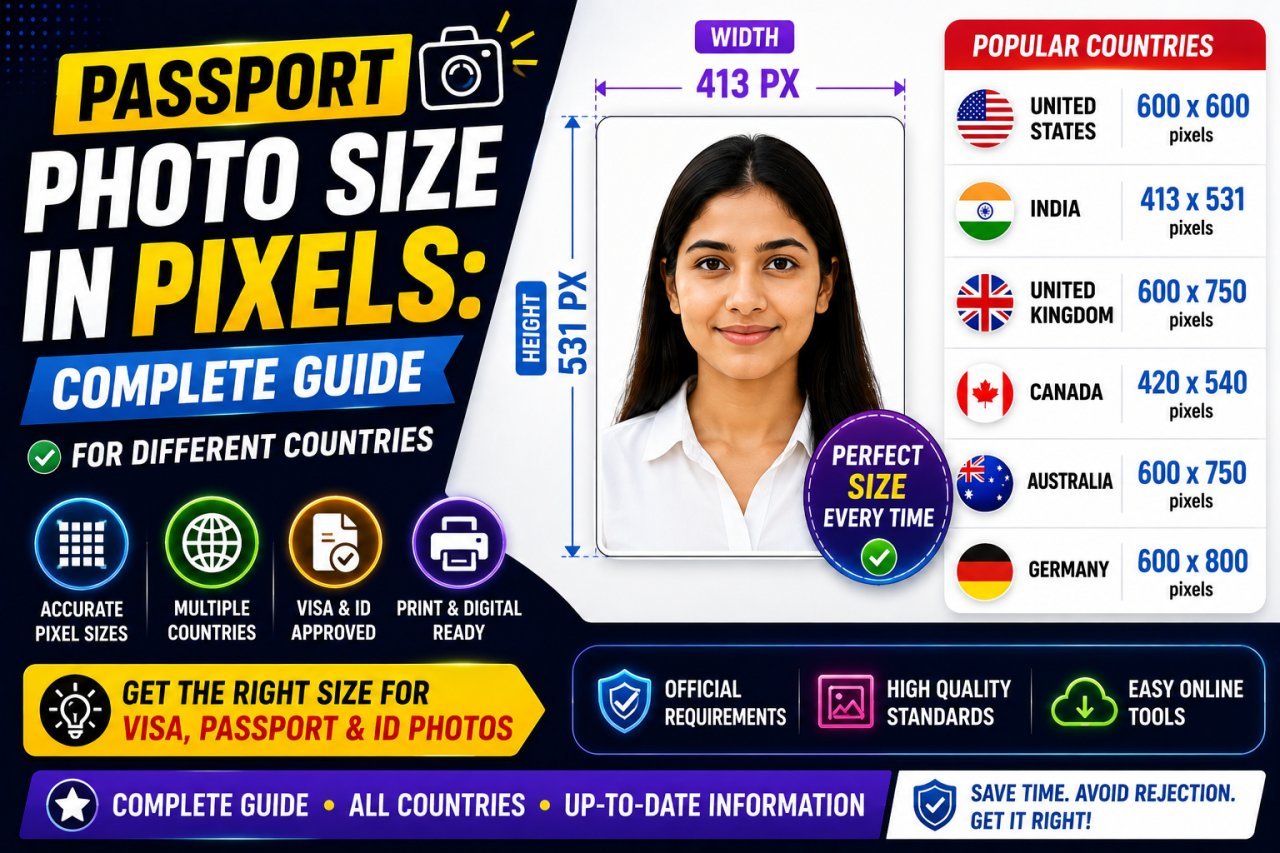
Passport Photo Size in Pixels: India, US, UK, Canada and Schengen
Passport photo sizes in mm and pixels for India, the US, UK, Canada and Schengen visas, how to convert them, and how to make your own photo at home.