
How to Make a Passport Size Photo Online for Free (2026 Step-by-Step Guide)
You don't need a photo studio for a passport, visa, or exam photo anymore. Here's how to turn a normal selfie into a perfectly sized, correctly cropped passport photo online — free and in minutes.
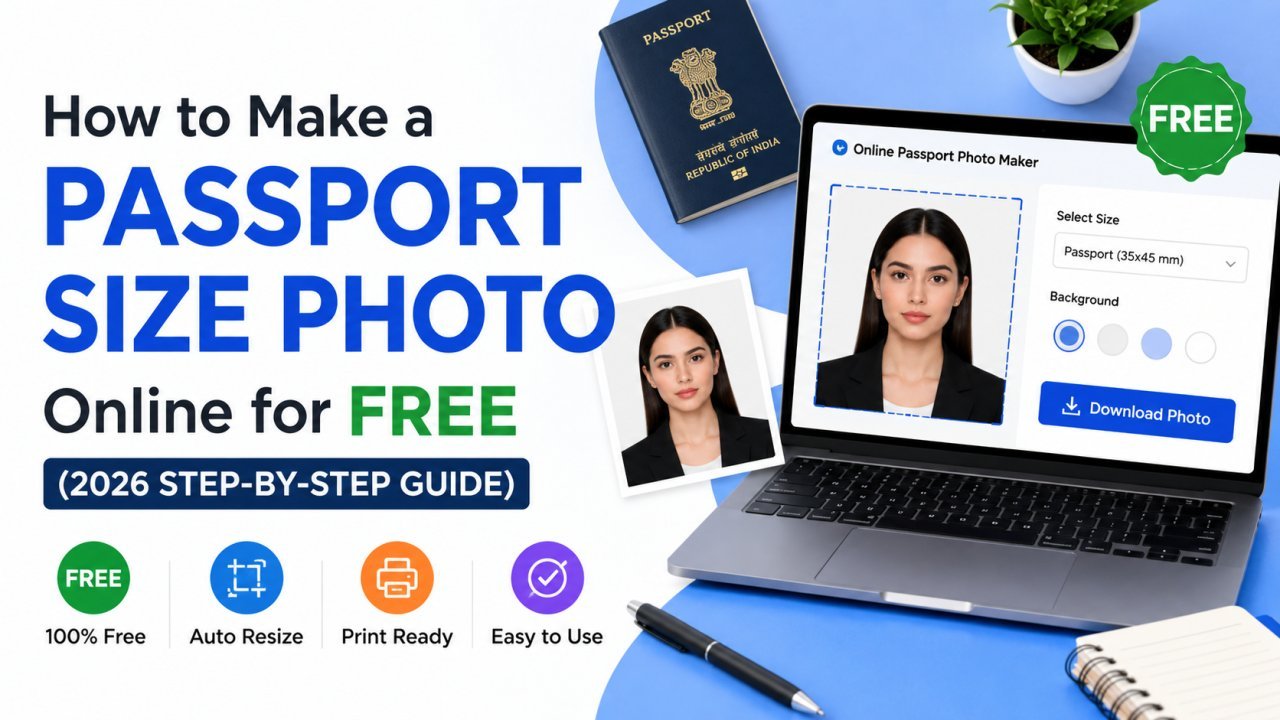
A trip to the photo studio for a single passport photo used to mean a bus ride, a queue, and ₹100–200 for prints you'll mostly throw away. Today, if you have a recent selfie and a phone or laptop, you can make a perfect passport-size photo yourself — for free, in a couple of minutes.
This guide walks you through doing it properly, so your photo actually gets accepted the first time.
What makes a photo "passport size"?
"Passport size" isn't one universal number — it depends on the country and the document. The most common standards are:
- India — 35 × 45 mm (roughly 4.5 × 3.5 cm), often needed at 200 × 230 pixels for online forms
- USA — 2 × 2 inches (51 × 51 mm), a square photo
- Schengen / Europe — 35 × 45 mm
- UK, Australia, Canada — 35 × 45 mm in most cases
Beyond size, almost every authority shares the same rules: a plain light background, your face centered and clearly visible, a neutral expression, and even lighting with no harsh shadows.
The easy way: a passport photo maker
Doing this by hand in an editor means measuring millimetres, calculating pixels, and cropping precisely — easy to get wrong. A dedicated tool handles all of that for you.
Our free Passport Photo Maker lets you upload a normal photo, pick a country preset (India, US, Schengen, and more), and it crops and sizes everything to the official spec automatically. Like all our tools, it runs entirely in your browser — your photo is never uploaded anywhere, which is exactly what you want for an ID photo.
Step by step
- Take or choose a clear, front-facing photo against a plain wall, in good daylight.
- Open the Passport Photo Maker.
- Select your country / document preset.
- Adjust the crop so your face is centered, then download your print-ready photo.
Tips for a photo that gets accepted
Most rejections come down to a handful of avoidable mistakes:
- Use natural, even light. Face a window during the day. Avoid overhead lights that cast shadows under your eyes and nose.
- Pick a plain background. A white or light-grey wall is perfect. If your background is busy, you can clean it up first with our Background Remover and place yourself on a solid colour.
- Keep a neutral expression. Eyes open, mouth closed, looking straight at the camera. No big smiles for official documents.
- No filters, hats, or sunglasses. Authorities reject anything that alters how you actually look. (Plain prescription glasses are usually fine.)
- Fill the frame correctly. Your head should take up roughly 70–80% of the photo's height. Don't stand too far away.
Getting it under the form's size limit
Many online portals want your passport photo and a maximum file size — often under 100 KB or 50 KB. After making your photo, if it's too large to upload, run it through our Compress Image to Size tool and type the exact KB limit. We cover that whole process in our guide on how to compress an image to 100 KB.
If you need to fine-tune the dimensions to an exact pixel size a form specifies, the Image Resizer does that in one step.
Printing your photos at home or a shop
Once you have the digital file, you can print a sheet of them at any photo shop or kiosk — just tell them the size. For home printing, place several copies on a single 4×6 inch sheet to save paper, then cut them out. The digital file you made is reusable, so you'll never pay for a studio sitting again.
Why make it online instead of a studio?
- It's free — no studio fee, no printing minimum.
- It's instant — no travel, no waiting.
- It's reusable — one good photo works for your passport, visa, exam form, and ID card.
- It's private — with an in-browser tool like ours, your photo never leaves your device.
Quick recap
- Passport photos must match your country's exact size (India 35×45 mm, US 2×2 in) with a plain background and neutral expression.
- A passport photo maker handles the cropping and sizing automatically.
- Good lighting and a plain background prevent most rejections — clean up the background with a background remover if needed.
- Shrink the final file with a compress-to-size tool if your form has a KB limit.
Ready to make yours? Open the free Passport Photo Maker — no signup, no watermark, and nothing ever uploaded.
Ready to optimize your images?
Every tool mentioned in this article is free to use. No upload, no signup, and no watermarks — ever.
Try our free toolsRelated articles
How to Convert HEIC to JPG for Free (Windows, Android & iPhone) — 2026 Guide
Got a .HEIC photo from an iPhone that won't open on your laptop? Here's every free way to turn it into a normal JPG — and the fastest one that never uploads your photo anywhere.
Why Resized Images Come Out Blurry (And How to Stop It)
Resizing seems trivial but most tools make it look worse than it should. Here's how to keep images crisp regardless of which direction you're going.
How to Remove Background from Images in One Click (Free, No Photoshop)
Background removal used to take 10 minutes per image with the Pen Tool. In 2026 it takes one click. Here's the practical guide for any image type.